

Kunci Jawaban
Kunci Jawaban Bahasa Inggris Kelas 12 SMA Halaman 143, How Many Photoshop Tools
Kunci jawaban Bahasa Inggris kelas 12 SMA Kurikulum Merdeka halaman 143, How many Photoshop tools are introduced in the text above?
Editor: Tim TribunNewsmaker
:quality(30):format(webp):focal(0.5x0.5:0.5x0.5)/newsmaker/foto/bank/originals/Bahasa-Inggris-Kelas-12-SMA-halaman-103-104-Fill.jpg) lihat foto
lihat foto
Kunci jawaban Bahasa Inggris kelas 12 SMA Kurikulum Merdeka halaman 143, How many Photoshop tools are introduced in the text above?
TRIBUNNEWSMAKER.COM - Simak kunci jawaban Bahasa Inggris Kelas 12 halaman 143, Task 2, Chapter 10, tentang penggunaan Photoshop. Siswa disarankan memahami teks "How To Operate Photoshop: Tutorial For Beginners" untuk mengerjakan soal. Orang tua atau wali dapat mengoreksi pekerjaan siswa menggunakan kunci jawaban ini.
Baca juga: Kunci Jawaban Bahasa Inggris Kelas 12 SMA Halaman 125, Teks Leopard Geckos
Kunci jawaban Bahasa Inggris kelas 12 halaman 143
Reading Comprehension
Task 2: Do the comprehension questions
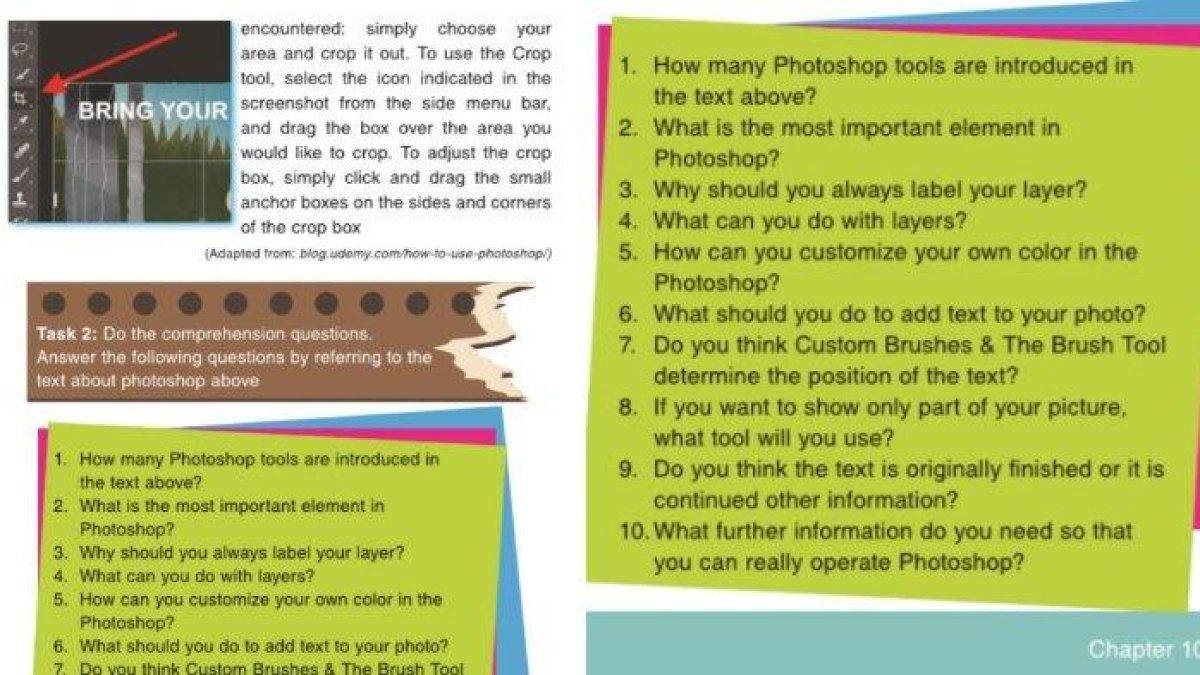
Answer the following questions by referring ti the text about photoshop above.
1. How many Photoshop tools are introduced in the text above?
Jawaban: There are five important tools: the layer tool, the color and swatches tool, the custom fonts and the text tool, custom brushes and the brush tool, and the crop tool.
2. What is the most important element in Photoshop?
Jawaban: Layers.
3. Why should you always label your layer?
Jawaban: We should always label our label because it will make our layers organized and it will ease our jog, especially if we are working on a project with a large number of layers.
4. What can you do with layer?
Jawaban: With layers, we can select, add, delete and duplicate them. We can also do all sorts of cool things, such as, making animated pictures.
5. How can you customize your own color in the Photoshop?
Baca juga: Kunci Jawaban Bahasa Inggris Kelas 12 SMA Halaman 150-151, Activity B.3 Reading Comprehension
| Kunci Jawaban Bahasa Jawa Kelas 3 Semester 1 Kurikulum Merdeka Latihan Soal SAS UAS |
:format(webp):focal(0.5x0.5:0.5x0.5)/newsmaker/foto/bank/originals/Solution-for-Bahasa-Jawa-grade-3-semester-1-trial-for-final-exam.jpg)
|
|---|
| Kunci Jawaban PAI Kelas 7 Semester 1 Kurikulum Merdeka Latihan Soal SAS UAS ASAS |
:format(webp):focal(0.5x0.5:0.5x0.5)/newsmaker/foto/bank/originals/Solution-for-final-test-of-PAI-grade-7-semester-1.jpg)
|
|---|
| Kunci Jawaban Informatika Kelas 8 Semester 1 Kurikulum Merdeka Latihan PTS/STS/UTS |
:format(webp):focal(0.5x0.5:0.5x0.5)/newsmaker/foto/bank/originals/Solution-for-informatics-lesson-grade-8-semester-1-trial-for-middle-test.jpg)
|
|---|
| Kunci Jawaban PJOK Kelas 2 Semester 1 Kurikulum Merdeka Latihan PTS/UTS/STS |
:format(webp):focal(0.5x0.5:0.5x0.5)/newsmaker/foto/bank/originals/Solution-for-sport-trial-exam-of-grade-2-semester-1.jpg)
|
|---|
| Kunci Jawaban PKN Kelas 3 Semester 1 Kurikulum Merdeka Latihan Soal PTS/STS |
:format(webp):focal(0.5x0.5:0.5x0.5)/newsmaker/foto/bank/originals/Solution-for-PKN-trials-middle-test-of-grade-3-semester-1.jpg)
|
|---|
:format(webp):focal(0.5x0.5:0.5x0.5)/newsmaker/foto/bank/originals/Solution-for-PKN-trials-middle-test-of-grade-3-semester-1.jpg)
:format(webp):focal(0.5x0.5:0.5x0.5)/newsmaker/foto/bank/originals/Solution-for-PAI-grade-5-trial-final-test-of-first-semester.jpg)
:format(webp):focal(0.5x0.5:0.5x0.5)/newsmaker/foto/bank/originals/Solution-for-trial-question-of-final-exam-economic-lesson-grade-10.jpg)
:format(webp):focal(0.5x0.5:0.5x0.5)/newsmaker/foto/bank/originals/PPK-Solution-for-grade-11-semester-1-trial-for-final-test.jpg)
:format(webp):focal(0.5x0.5:0.5x0.5)/newsmaker/foto/bank/originals/Solution-for-Seni-Rupa-Final-Exam-of-Grade-6.jpg)